Pages

Sunday, August 6, 2023

Lighting and Set Dressing Edits

     I've started on some revisions to the foliage scene. So far, I've mainly edited the lighting and worked on some debris meshes to add more height variation to the ground.


     I also made a few custom ground materials to better fit the environment that I'm referencing.


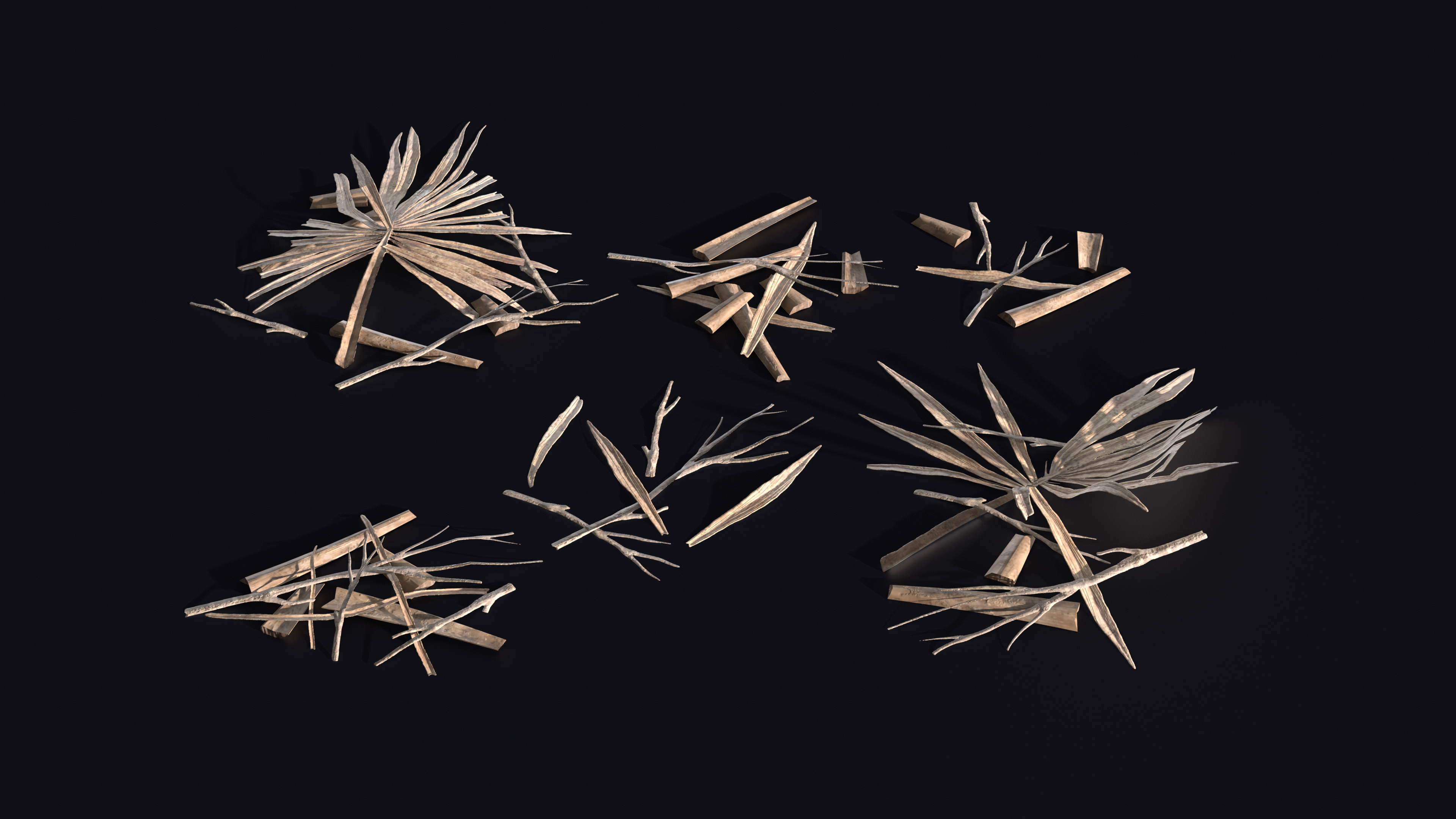
     To create the ground debris, I used a mix of meshes and a material that I painted under them.


Debris atlas sculpt and material.

 
Ground debris meshes.

    Using the atlas that I made, I generated the underlying material in Substance Designer with the Atlas Scatter node.


    In this case, I basically layered multiple Atlas Scatters together. This gave me some control over the layering. For instance, on the lowest layer, I set height scale to .25 to keep it dark on the texture. On the highest layer, I set the height scale to 1 to make it as bright as possible.


    I used a similar technique for the leaves, but this time I only used two layers. To give it some depth, I made the bottom layer less saturated than the top.


    I think this small showcase scene is almost finished. Next I'm going to make a turtle sculpture and some mushrooms to place by the center tree. After that, I'm going to start on a full forest scene.

Monday, April 3, 2023

Weeks 8 and 9: Ivy and Final Scene

 For the last two weeks, I created the ivy atlas and combined everything into a final scene. To make the ivy atlas, I sculpted some leaves and then placed them on vines generated in SpeedTree.


Basically, I made a few different size variations, exported them all, assembled an atlas in Maya, and then brought them back into SpeedTree for baking.


Ivy clusters generated in SpeedTree.

Atlas assembled in Maya.

Final atlas baked in SpeedTree.

After baking the atlas, I cut out the cards and placed them around the tree mesh.


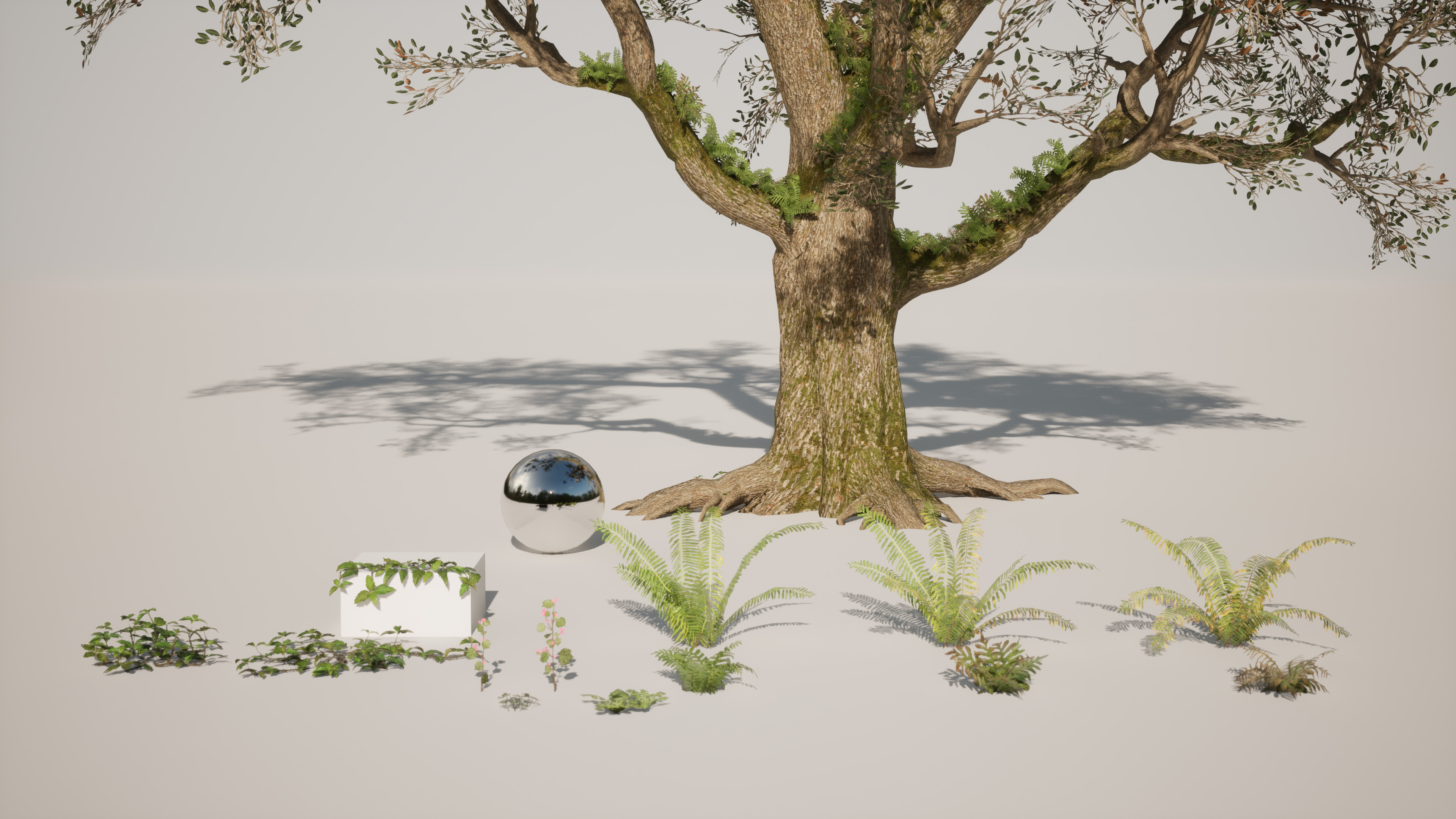
With the ivy ready, I then assembled a small scene with all the foliage.


Now that I've finished the scene, I'm going to work on some revisions and make a sculpture to go by the tree. After that, I plan to render the foliage assets in Marmoset and then build more of a complete forest scene. Overall, I've had a lot of fun working on this and I'm excited to improve on it and then start some other nature scenes!

Monday, March 13, 2023

Week 7: Flowers

    This week I started working on the flowers. I'm creating one white flower and a yellow orchid for this atlas.


    Currently, I'm cutting out the pieces from the atlas and modeling the plants. I've started on the white flowers. Next I'm going to model some more variations and clusters for them. After that I'll model the orchid.


That's all for today! After finishing these flowers, I'm going to create some ivy and then assemble the final scene.

Monday, March 6, 2023

Week 6: Ferns and Ground Plants

     This week I created two ferns and some small ground plants. I think I spent a bit too much time on the atlases, so I didn't get to model too many variations. When I next have some time, I'll make some more though. Mainly, I'd like to make a few more clusters of clovers and weeds with varying sizes and densities.


    That's all for this week! Next I'm going to create some flowers and ivy. After that, I'm going to build a scene out of all these assets. It should be nice to finally see this come together in a full environment.


Monday, February 27, 2023

Week 5: Tree Canopy

    This week I finished up the tree canopy. To start, I modeled some different branch variations in Maya.


    Basically, I created some reusable branch pieces to build the different variations. Those pieces are in the top row above with the final variations along the bottom.


    After creating the branches, I brought them along with the leaf meshes into SpeedTree. To attach the leaves to the branches, I created target nodes using the click place tool in freehand mode. Each target automatically finds the closest point on the branch and then adds a leaf.


    With the leaves placed, I then arranged all the branches to fit within a square plane and rendered the atlas.


    Next I mapped the atlas to some cards in the main tree and added the canopy.


    Finally, I brought the tree into the Unreal project. I also painted the ground plant that I created earlier along the base.


    Overall I think the tree is adding a lot to the scene, and I'm glad I finally have the canopy in. I am wondering if the canopy is a little too thin right now. I might want to increase the atlas density in the future, but I'm going to think it over a bit first. Next I'm going to create some ferns. They should add some nice variety to the scene, so I'm looking forward to starting on them!


Monday, February 20, 2023

Week 4: Tree Canopy

 This will be a quick post for this week. I got a bit slowed down due to having a cold. Mainly I started on the leaf atlas for the canopy. To create it, I sculpted some oak leaves similar to how I approached the previous plant. After that, I painted some textures in Substance Painter. Next, I'm going to make a dead variation of the leaves, start on the branches, and then create some canopy textures.